Signing Flow
How the one-at-a-time request queue, approval, and programmatic signing work
How it works
sequenceDiagram
    participant dApp
    participant DevWallet
    participant UI
    participant Adapter

    dApp->>DevWallet: signTransaction(tx)
    DevWallet->>DevWallet: Check auto-approve policy

    alt Auto-approved
        DevWallet->>Adapter: Sign with signer
        Adapter-->>DevWallet: Signature
        DevWallet-->>dApp: Result
    else Manual approval required
        DevWallet->>UI: Show signing modal
        UI->>UI: User reviews transaction
        alt User approves
            UI->>DevWallet: approveRequest()
            DevWallet->>Adapter: Sign with signer
            Adapter-->>DevWallet: Signature
            DevWallet-->>dApp: Result
        else User rejects
            UI->>DevWallet: rejectRequest()
            DevWallet-->>dApp: Error
        end
    end
One request at a time
The wallet processes one signing request at a time. If a second request arrives while one is
pending, it's immediately rejected with "A signing request is already pending."
dApps that send multiple transactions should serialize their signing calls — await each one
before sending the next.
Request types
| Type | Triggered By | Data |
|---|---|---|
sign-transaction | sui:signTransaction | Transaction JSON string |
sign-and-execute-transaction | sui:signAndExecuteTransaction | Transaction JSON string |
sign-personal-message | sui:signPersonalMessage | Uint8Array message bytes |
The signing modal
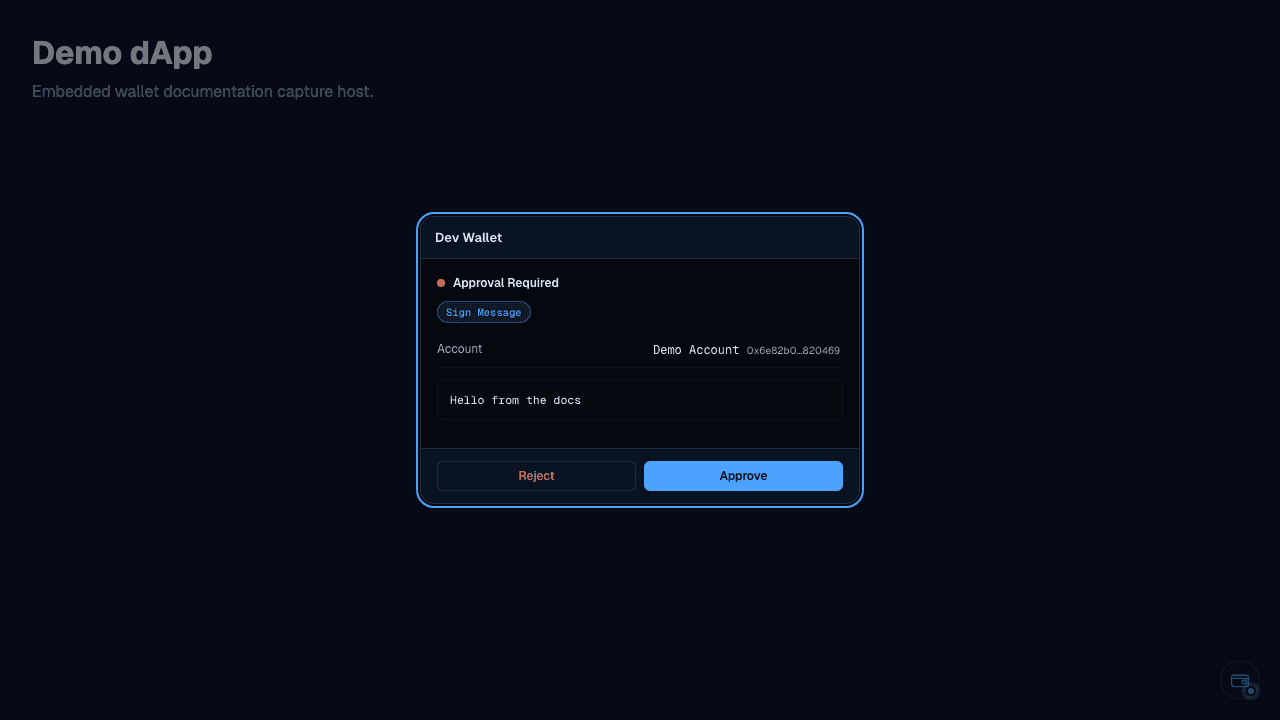
Try it
Click the button to trigger a signing request, then open the wallet panel to approve or reject it:
Programmatic approval
You can approve or reject requests without the UI — useful for testing:
// Enqueue a request (returns a Promise)
const resultPromise = wallet.features['sui:signPersonalMessage'].signPersonalMessage({
	message: new TextEncoder().encode('Hello'),
	account: wallet.accounts[0],
});

// Check the pending request
console.log(wallet.pendingRequest);
// { id: '...', type: 'sign-personal-message', account: ..., data: Uint8Array }

// Approve it
await wallet.approveRequest();

// The promise resolves
const result = await resultPromise;
console.log(result.signature);
Rejecting a request
wallet.rejectRequest('User declined');
// The promise rejects with Error('User declined')
Subscribing to request changes
const unsubscribe = wallet.onRequestChange((request) => {
	if (request) {
		console.log('New request:', request.type, request.id);
	} else {
		console.log('Request resolved');
	}
});

// Later: unsubscribe()
Connect approval
Connect requests follow the same pattern: auto-connect if autoConnect: true, otherwise queue a
connect request so the user can select which accounts to expose.
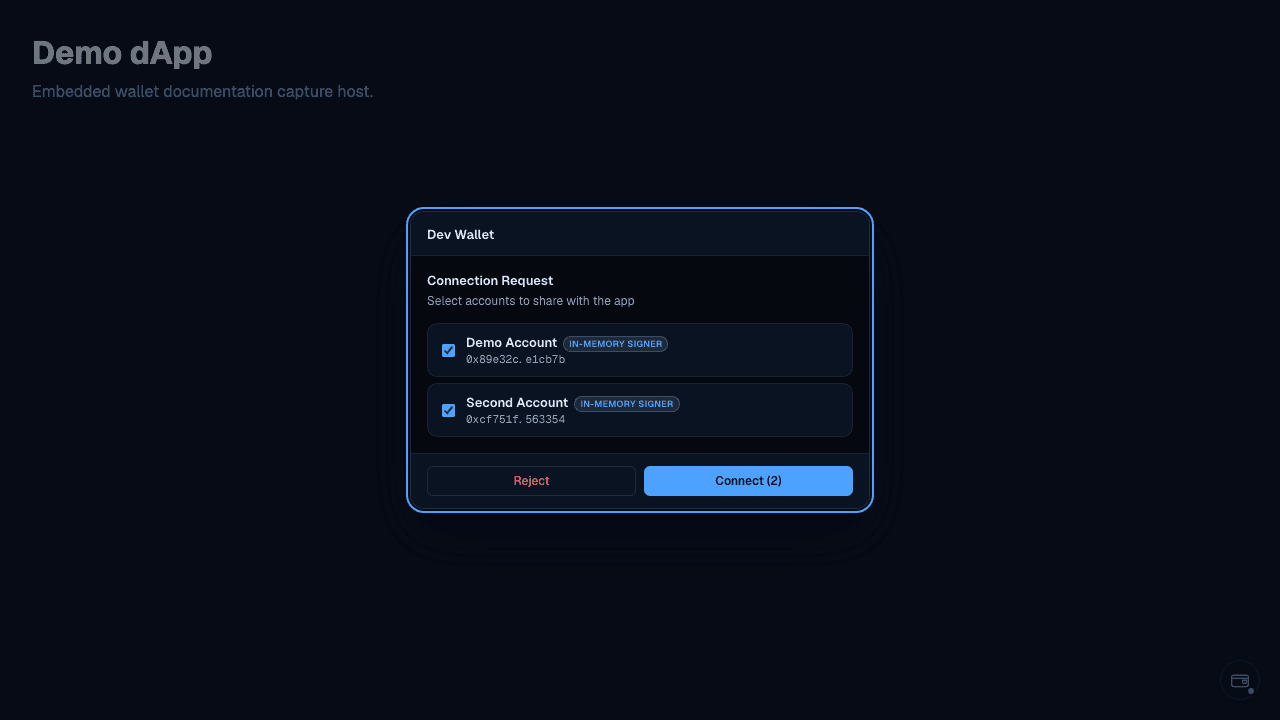
// Subscribe to connect requests
wallet.onConnectChange((request) => {
	if (request) {
		// Show account picker
	}
});

// Approve with selected addresses
wallet.approveConnect(['0xabc...', '0xdef...']);

// Or reject
wallet.rejectConnect('User cancelled');
Transaction analysis
The signing modal analyzes transaction commands and displays:
- MoveCall — package, module, function, and arguments
- TransferObjects — recipient address and objects being transferred
- SplitCoins — coin type and split amounts
- MergeCoins — coins being merged